Translate an image to English — without losing the image.
Upload a photo, screenshot, scan, or comic page. Sumi reads the text inside the picture, erases the original, and typesets English back where it belongs. Try one image free, no account.
JPEG · PNG · WebP · ZIP / CBZ batch
An English image, not a transcript beside it.
General OCR can tell you what an image says. Sumi goes one step further: it clears the original lettering and lays the English translation back into the detected space. That matters for screenshots, diagrams, posters, and especially comics where the text is part of the composition.
The result remains editable: open any region to inspect its source text, change the English, or ask for another translation before downloading.
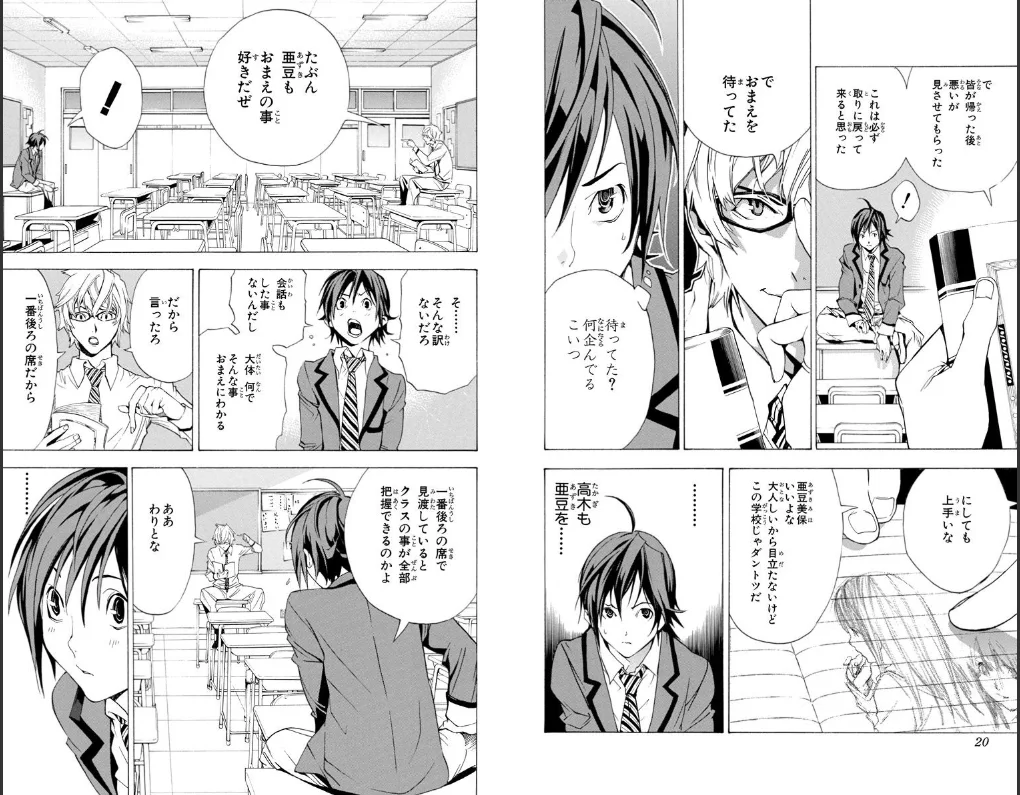
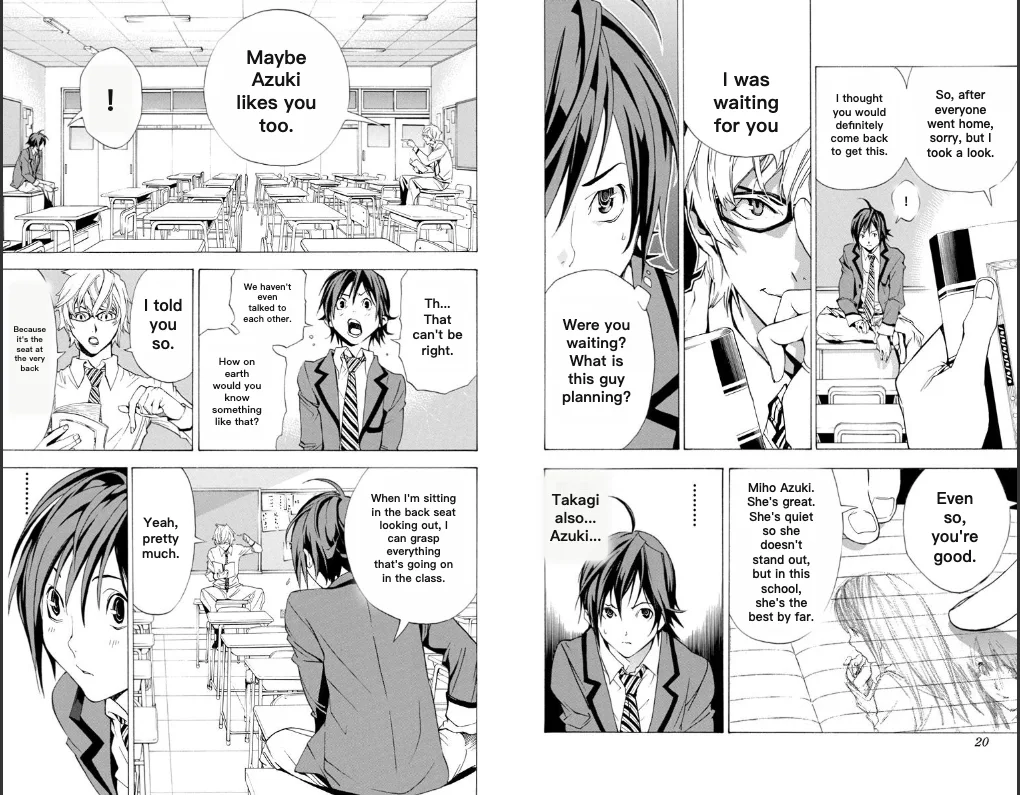 Translated by SumiOriginal
From image upload to translated download.
Upload an image
Drop a JPEG, PNG, or WebP here. For a scanned comic chapter, upload one ZIP or CBZ and Sumi will put its first 20 pages into the batch queue in reading order.
Choose English
English is one of 134 verified output languages. Sumi detects the source text automatically, including Japanese, Korean, and Chinese.
Replace the text in place
The original lettering is removed before the translation is fitted back into the same region, so you get an edited image rather than a separate list of sentences.
Review and download
Tap a detected region to compare the source, edit the wording, or translate it again. Download the finished image when it reads the way you want.
Working from Japanese in particular — manga pages, screenshots, vertical writing? The Japanese image translator is this same tool with English preselected and the Japanese details spelled out.
Translating images to English
How do I translate an image to English?+
Upload a JPEG, PNG, or WebP above and choose English as the target language. Sumi detects the text, translates it, removes the original lettering, and places the English back into the image. Your first image can be translated without an account.
Can I translate text inside a photo or screenshot?+
Yes. Screenshots, scans, comic pages, posters, and other images with readable text all use the same workflow. Clear, high-resolution text produces the best result; very small, blurred, or heavily stylized lettering may need a manual correction.
Does the image translator keep the original layout?+
Sumi removes the source lettering and fits the translated text into the detected region. It preserves the image dimensions and supports vertical Japanese typesetting. You can edit or re-translate an individual region if the automatic result needs work.
Can I translate a ZIP or CBZ of scanned images?+
Yes. Pro users can upload one ZIP or CBZ at a time. Sumi safely extracts supported image files in natural page order and adds up to 20 pages to the existing batch queue. Oversized, corrupt, or non-image entries are rejected.
Which image formats are supported?+
Single-image uploads support JPEG, PNG, and WebP. Chapter batches can also be supplied as ZIP or CBZ archives containing those image formats. PDF and ebook imports remain features of the iPhone, iPad, and Mac app, not this browser tool.
Is this image translator free?+
One browser translation is available without an account. A free account includes more pages and a daily claim. Multi-page ZIP and CBZ translation uses the Pro batch workflow.
Também em português: tradutor de imagem · También en español: traductor de imágenes