Translate an EPUB into a bilingual reading experience.
Import a DRM-free EPUB, keep its chapters and reading flow, and translate passages as you read. Built for light novels and ebooks on iPhone, iPad, and Mac — not for pasting an entire book into a text box.

Reflowable EPUB · DRM-free MOBI / AZW3 · text-based PDF
Light novel translation that stays inside a real reader.
An EPUB is more than a bag of sentences. Sumi keeps its chapter sequence, paragraphs, search, and progress while adding bilingual translation and Japanese reading tools.
A reader, not a converted text dump
Sumi parses the book’s chapter order and semantic paragraphs, then keeps your place in a reflowable reader. You do not have to paste a novel into a translator one chapter at a time.
Original and translation together
Translate a passage when you reach it and read the source with its translation in the same flow. Results are cached, so returning to a chapter does not mean starting over.
Japanese ruby and furigana preserved
For Japanese light novels, Sumi extracts existing ruby annotations and renders the readings with the original text instead of flattening every line into plain characters.
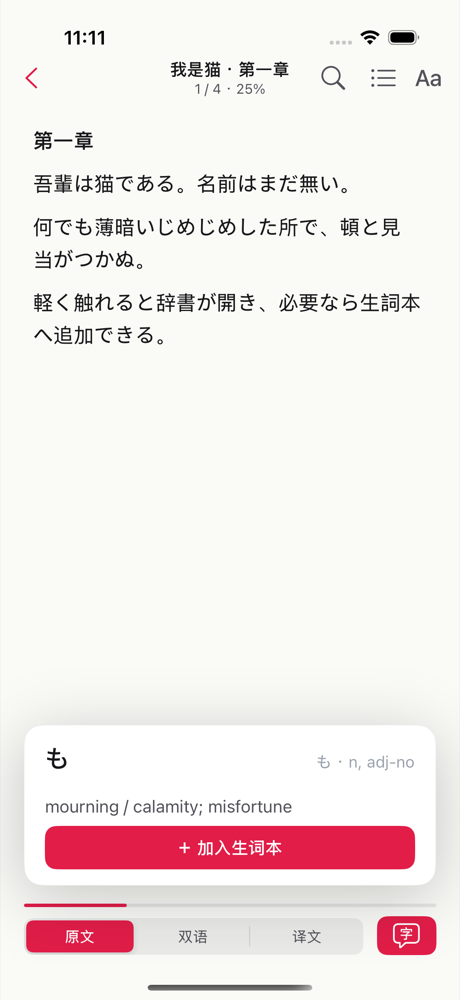
Tap a word without leaving the book
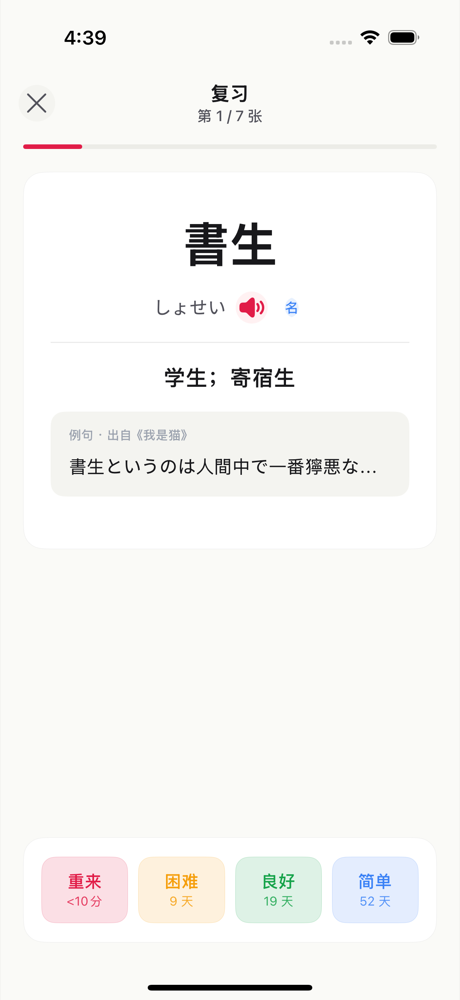
The built-in offline dictionary shows a word’s reading and meaning in place. Save useful words to a vocabulary deck and keep reading instead of bouncing between apps.
Understand a line, then keep moving.
EPUB and light novel translation
How do I translate an EPUB?+
Install Sumi on iPhone, iPad, or Mac, import your DRM-free EPUB from Files or Finder, and open it from the library. Sumi extracts the book’s chapters and paragraphs into a reflowable reader, where passages can be translated in context as you read.
Can Sumi translate Japanese light novels?+
Yes. A Japanese light novel in a standard reflowable EPUB uses the same bilingual reader. Sumi preserves source text and ruby readings, translates passages in context, and lets you tap unfamiliar words for an offline dictionary definition.
Does the EPUB translator work in the browser?+
No. EPUB translation is part of the Sumi app for iPhone, iPad, and Mac. The browser tool translates JPEG, PNG, WebP, ZIP, and CBZ image pages; it does not accept EPUB files.
Which ebook files are supported?+
Sumi supports reflowable EPUB plus DRM-free MOBI and AZW3 files in the native app. Text-based PDFs also use the ebook reader. Fixed-layout EPUB is not currently supported, and encrypted or DRM-protected Kindle books are intentionally rejected.
Will it translate the entire book at once?+
Sumi translates passages as you read rather than sending a whole book in one request. This keeps the reading experience responsive and lets the app cache completed passages for later.
Do I need to upload my book to Sumi?+
You import a book you own into the app. The reader parses and stores the publication locally. Text translation requests send the passage being translated, not an entire ebook library. Sumi does not host or provide light novels.