Signs in through Sumi
Safari uses the account you are signed in to in the Sumi app. There is no separate sign-in inside Safari.
The Safari extension is part of the Sumi app. Open it on the manga page you are reading and Sumi translates the images in place.


Safari uses the account you are signed in to in the Sumi app. There is no separate sign-in inside Safari.
Safari spends the same pages and subscription as the app, the website and the Chrome extension.
A subscription from the website, the App Store or Google Play works in Safari too.
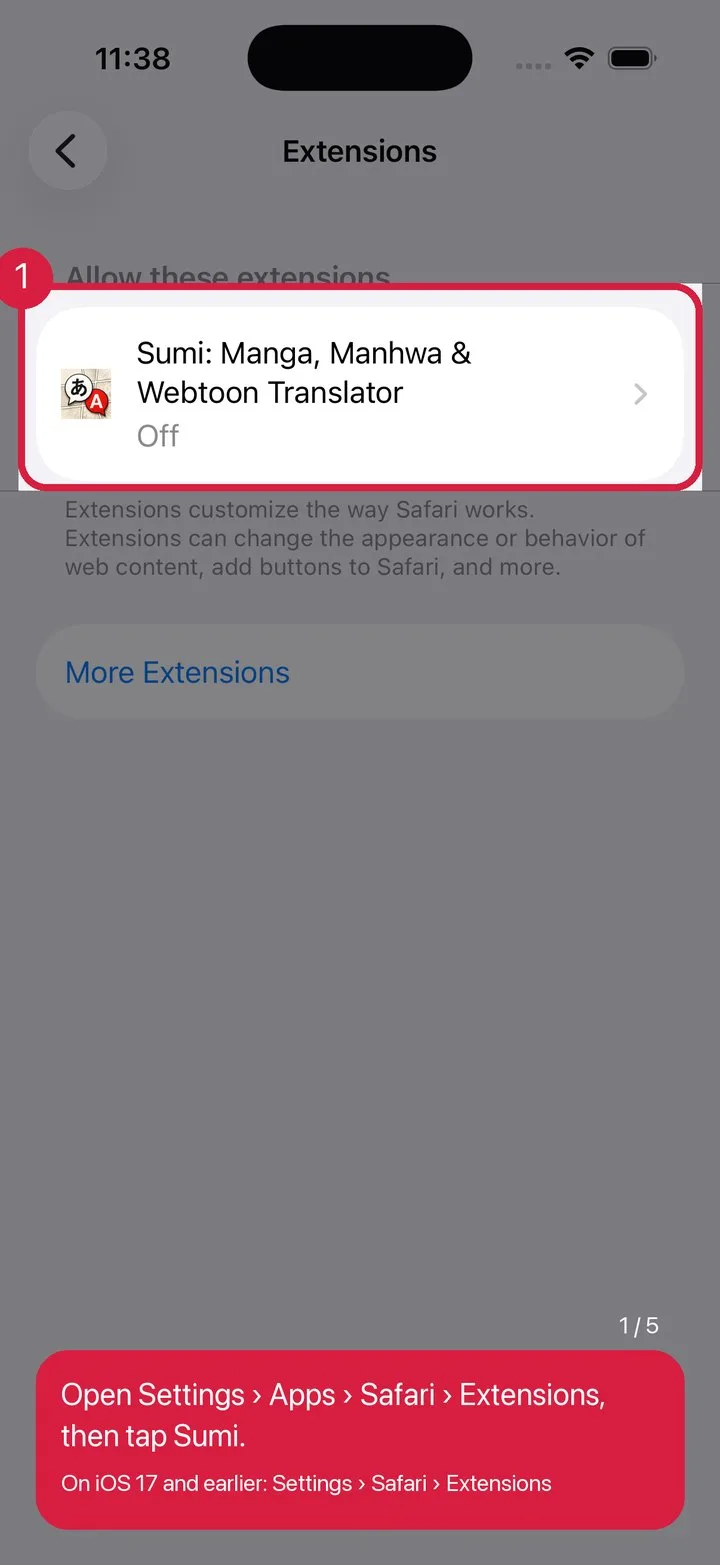
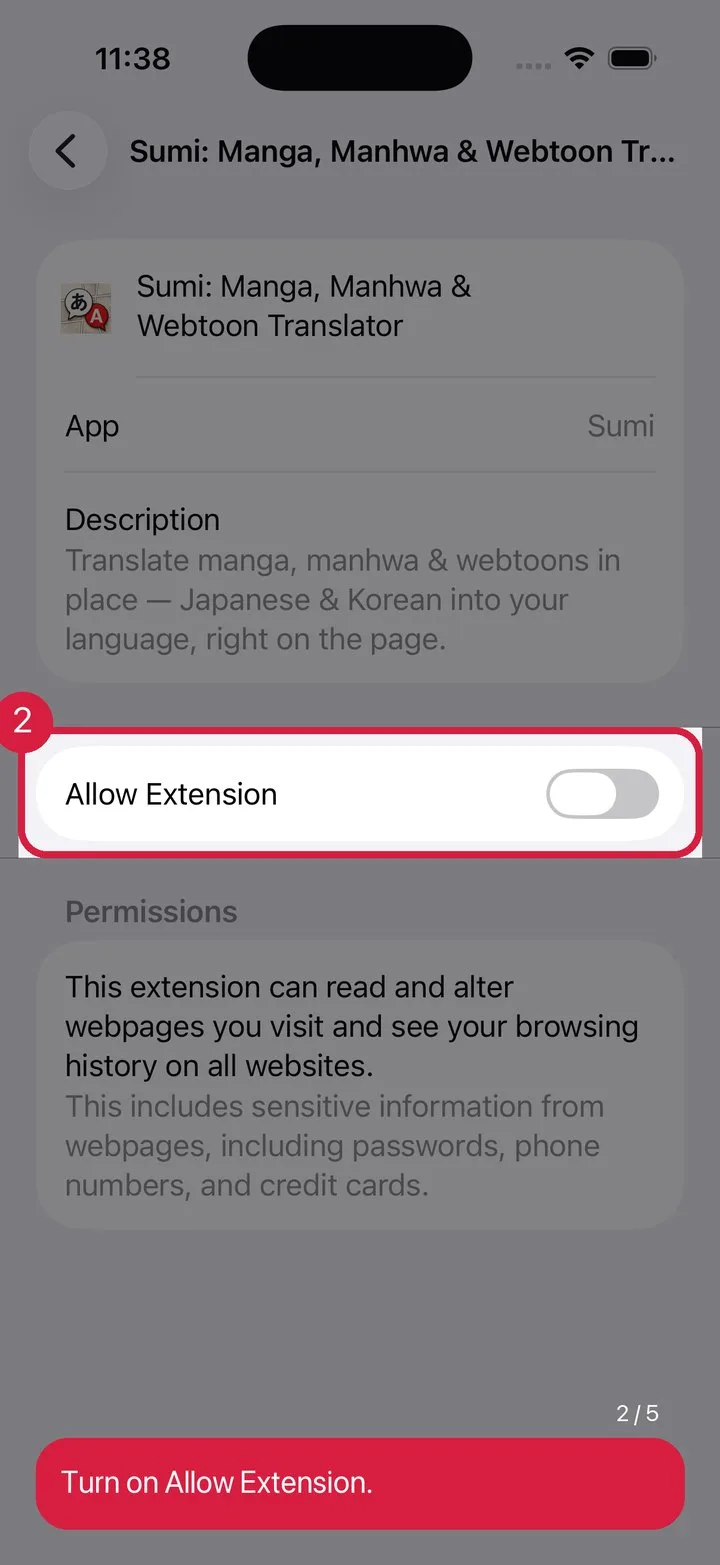
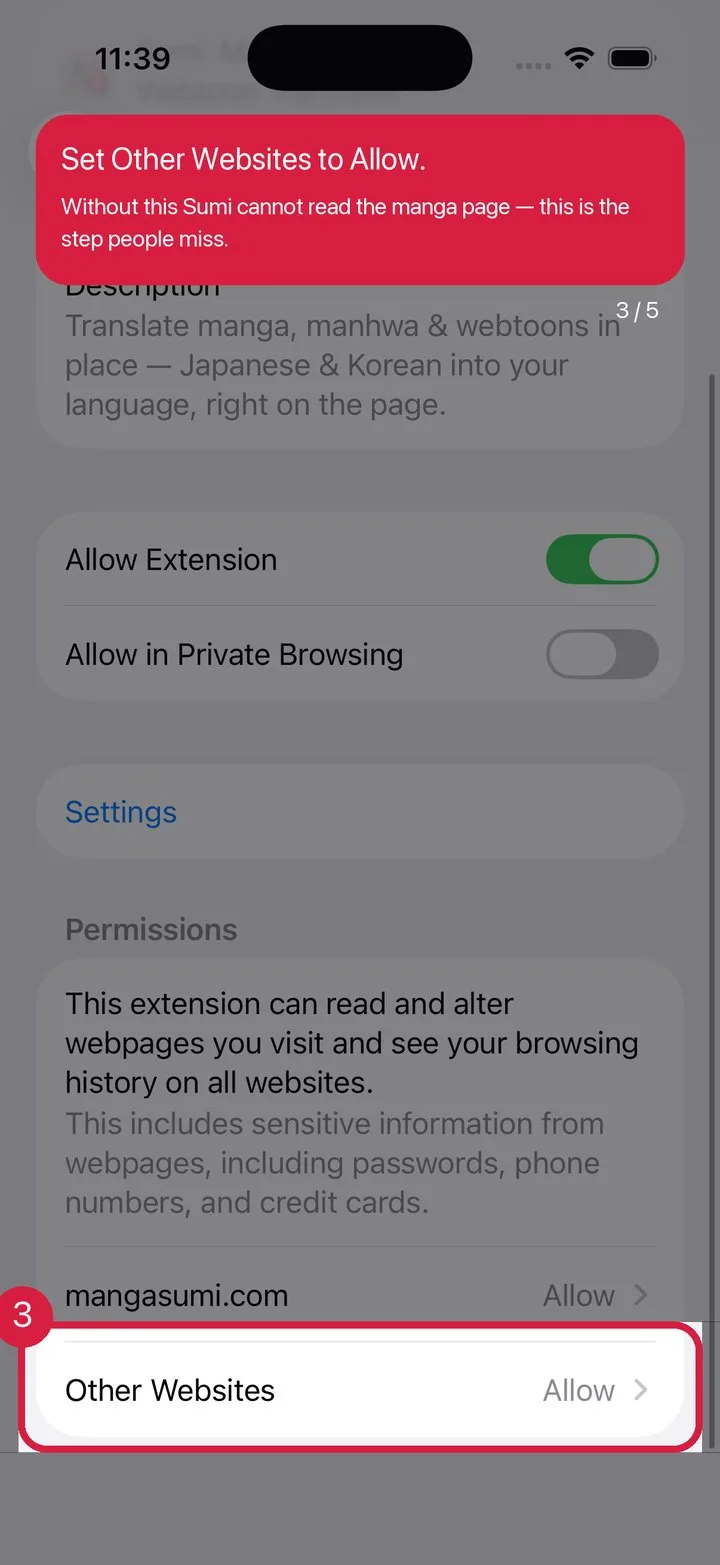
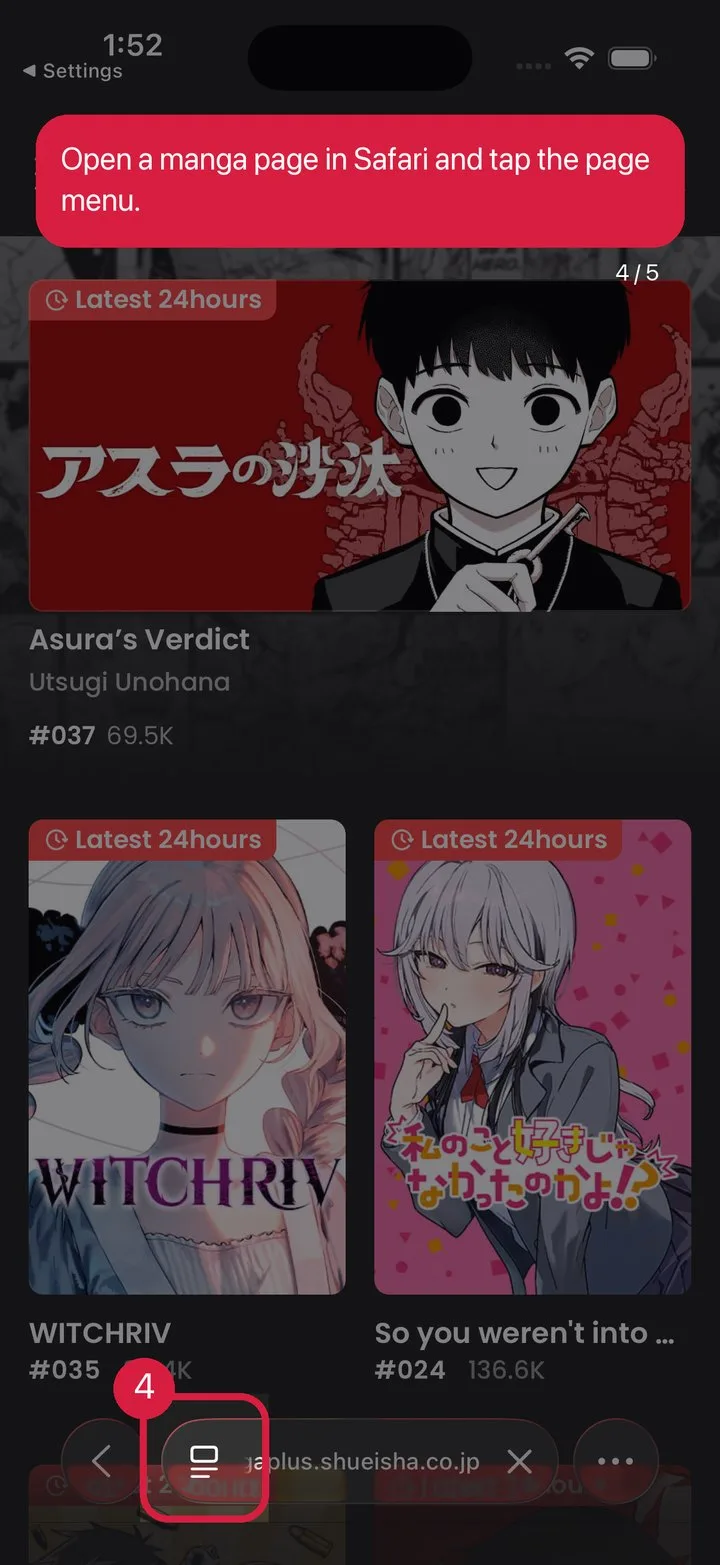
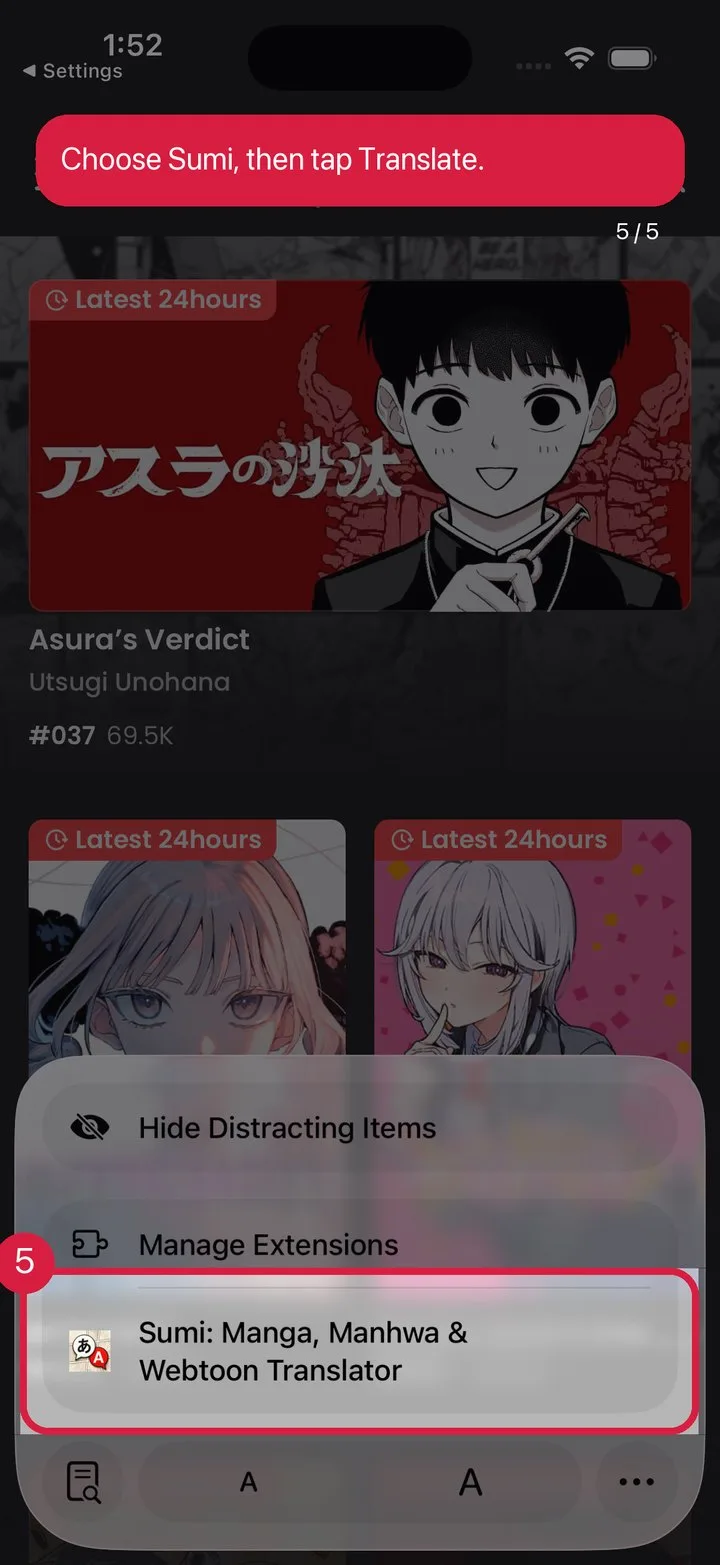
Apple ships Safari extensions turned off. Walk these five screens once and it stays on.
Do not have Sumi yet?
They sign in in different places, but it is the same account — the same subscription and the same pages.
Open Sumi, then follow the Safari extension guide in the app.
Yes to start. The Safari extension ships inside the Sumi app, which gives you 15 free pages when you first open it and 5 more to claim every day. Those pages are the same balance you see in the app — and on mangasumi.com and in the Chrome extension, because it is one Sumi account.
No. Safari uses the Sumi account you are signed in to in the Sumi app on the same iPhone or iPad. It is the same account as on mangasumi.com, so there is nothing extra to sign up for or log into inside Safari.
Apple ships Safari extensions switched off. Open Settings, find Sumi, turn on "Allow Extension", and set "Other Websites" to Allow. Then open a manga page, tap the page menu in Safari, and pick Sumi. The five screenshots above walk through exactly that.
Yes. The extension is part of the same app on both, and it spends the same page balance on either device.
On a computer, use the Chrome extension and sign in with the same Sumi account — your subscription and page balance are already there.
The extension comes with Sumi for iPhone, iPad & Mac, and on a desktop the same reading happens in the Chrome extension.