Translate Japanese images to English, vertical text included.
Tategaki dialogue in a manga panel, the menu of a Japanese game, a phone screenshot of a Japanese site: drop it in or paste it. Sumi reads Japanese in either direction, erases the kana and kanji, and sets the English into the same space — a vertical column stays a column. The first image is free, no account.
JPEG · PNG · WebP · vertical & horizontal Japanese
Tategaki in, English out — in the same column.
Sumi auto-detects the source language, so a Japanese image needs no setup — drop it in and the English comes back typeset into the art. Vertical writing is read in its own order, and the translation goes back into the column it came from.
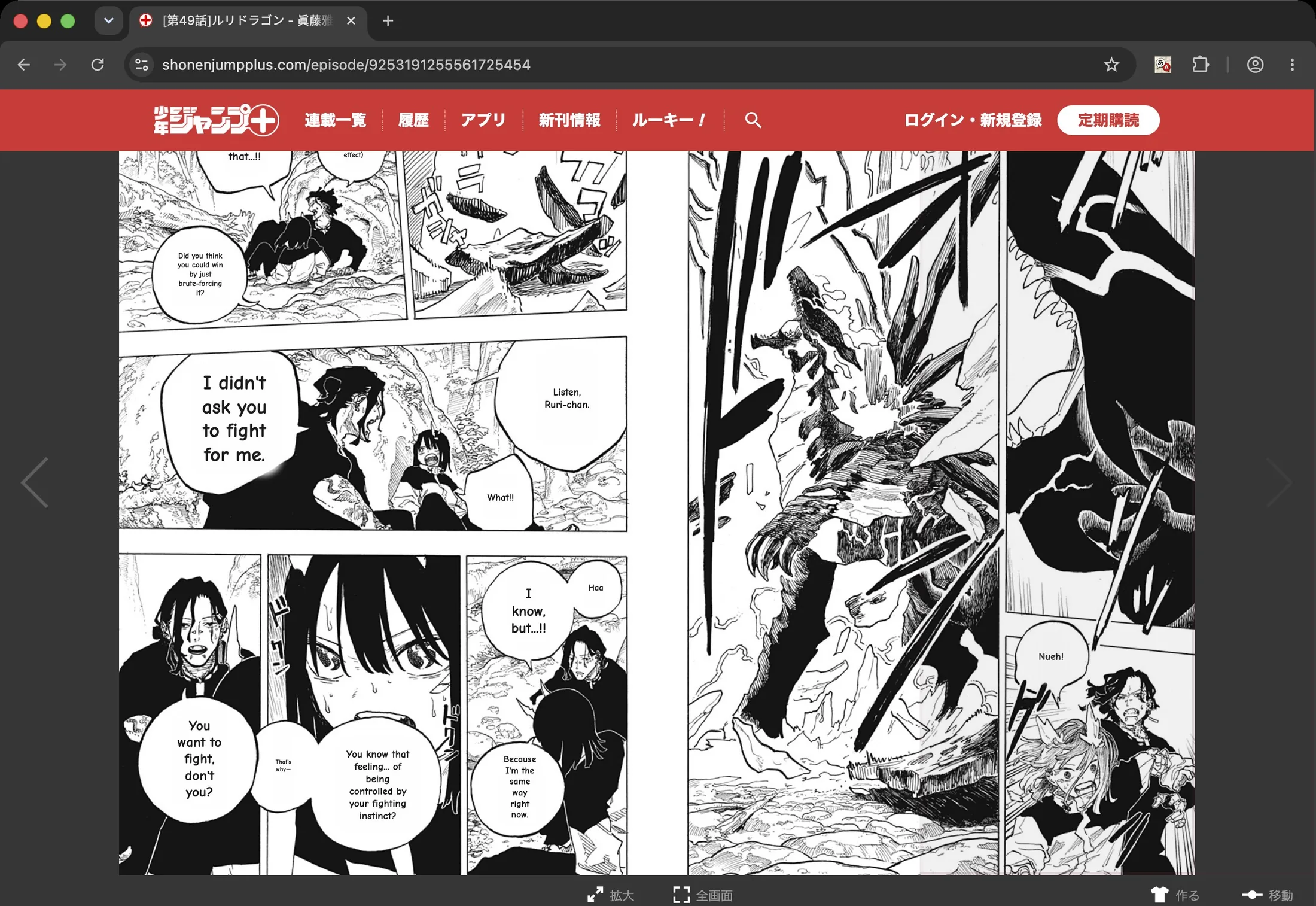
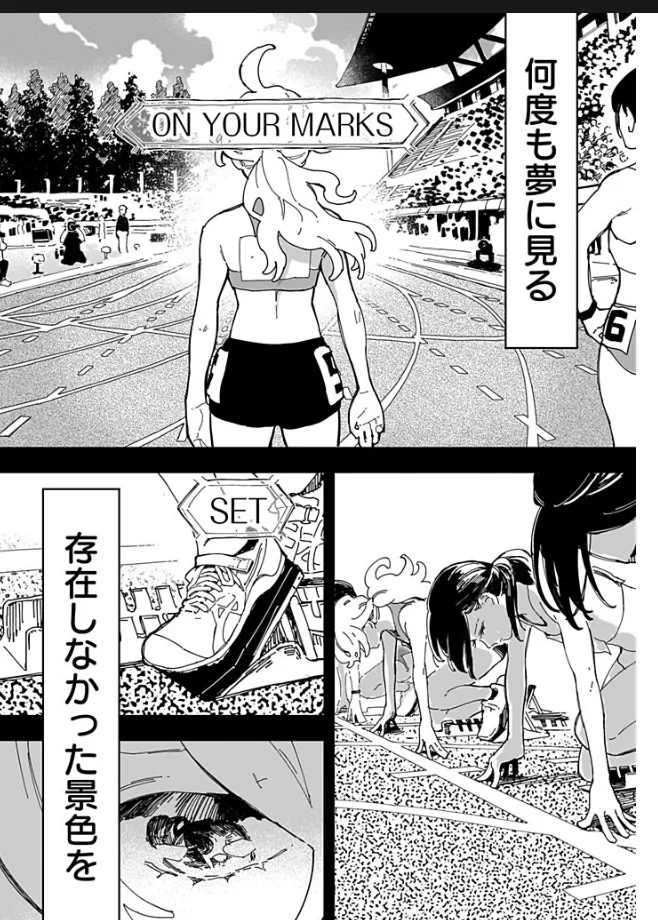
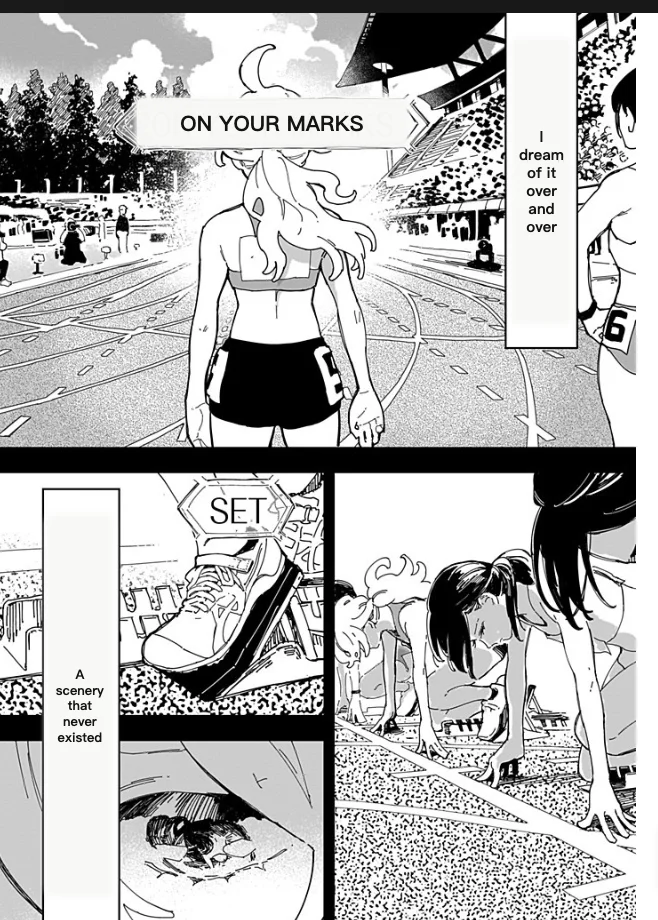 Translated by SumiOriginal
Japanese screenshots, game screens, manga and signs.
Manga and doujin pages
Raw pages from a chapter you own or an official free preview. Speech bubbles, captions, and sound effects are all detected — not just the neat horizontal lines.
Screenshots and game screens
Game menus, app screens, social posts, storefront pages. Anything you can screenshot on a phone or desktop can be uploaded or pasted here.
Vertical (tategaki) text
Japanese set top-to-bottom is read as it was written, and the translation is fitted back into the same column instead of being flattened into a horizontal box.
Photos of the real world
Signs, menus, instructions, packaging. Sharp, well-lit printed text gives the best result; tiny, blurred, or heavily stylised lettering may need one manual correction.
Four steps from a Japanese screenshot to an English one.
Upload the Japanese image
Drop a JPEG, PNG, or WebP — a manga page, a screenshot, a photo of a sign or a package. You can also paste a screenshot straight from the clipboard.
Japanese is detected for you
The source language is detected automatically, so there is nothing to set. If a page is mostly art with one hard line, you can force the source to Japanese from the dropdown.
The Japanese is erased, not covered
The original lettering is removed and the English typeset back into the same region — vertical Japanese included — so you get an edited image, not a caption pasted over the drawing.
Fix a line, then download
Tap any detected region to see the Japanese it read, rewrite the English, or translate it again. Download the finished image when it reads right (a free account is needed to download).
Source text in Korean, Chinese, or anything else? The general image translator is the same tool without the Japanese-first framing, and whole chapters are easier in the online manga translator.
Japanese screenshots, photos and tategaki: FAQ
How do I translate a Japanese image to English?+
Upload a JPEG, PNG, or WebP above — English is already selected as the target. Sumi detects the Japanese text, translates it, erases the original lettering, and typesets the English back into the picture. Your first image can be translated without an account.
Does it handle vertical Japanese text?+
Yes. Vertical (tategaki) writing is read in its own reading order, and the translation is typeset back into the region it came from — Sumi supports vertical Japanese typesetting rather than flattening every bubble into a horizontal line. Image dimensions are preserved, and you can re-translate or rewrite a single region if the automatic result needs work.
Can I translate a photo or a screenshot with Japanese in it?+
Yes. Screenshots, scans, manga pages, posters, signs, and menus all use the same workflow — upload the file or paste a screenshot from the clipboard. Clear, high-resolution text produces the best result; very small, blurred, or heavily stylised lettering may need a manual correction.
Which formats can I upload, and can I do a whole chapter?+
Single uploads support JPEG, PNG, and WebP. A scanned chapter can be uploaded as one ZIP or CBZ containing those formats: Sumi puts its first 20 pages into the batch queue in reading order, which is part of the Pro batch workflow. PDF and ebook imports remain features of the iPhone, iPad, and Mac app.
Is the Japanese image translator free?+
One browser translation is free with no account. A free account adds 5 pages, plus 5 more you can claim every day. Beyond that, Sumi Pro is $6.99/month, and multi-page ZIP or CBZ translation uses the Pro batch workflow.
How is this different from Google Lens?+
Google Lens is excellent for reading one bubble or a sign in the moment: it overlays the translation on your screen and the original image is untouched. Sumi produces an edited image instead — the Japanese lettering is removed, the English is set into the space it left, vertical text included, and the result is a file you can review, correct, and download.
Can I translate Japanese into a language other than English?+
Yes. English is preselected on this page because it is what most people arrive looking for, but the target dropdown carries 134 verified output languages — pick any of them before you translate.