How to Read Raw Manga in English: 3 Free, Legal Ways (2026)
How to read raw manga in English, legally and free: browser extension, online translator or reader app — and one page you can try with no account.
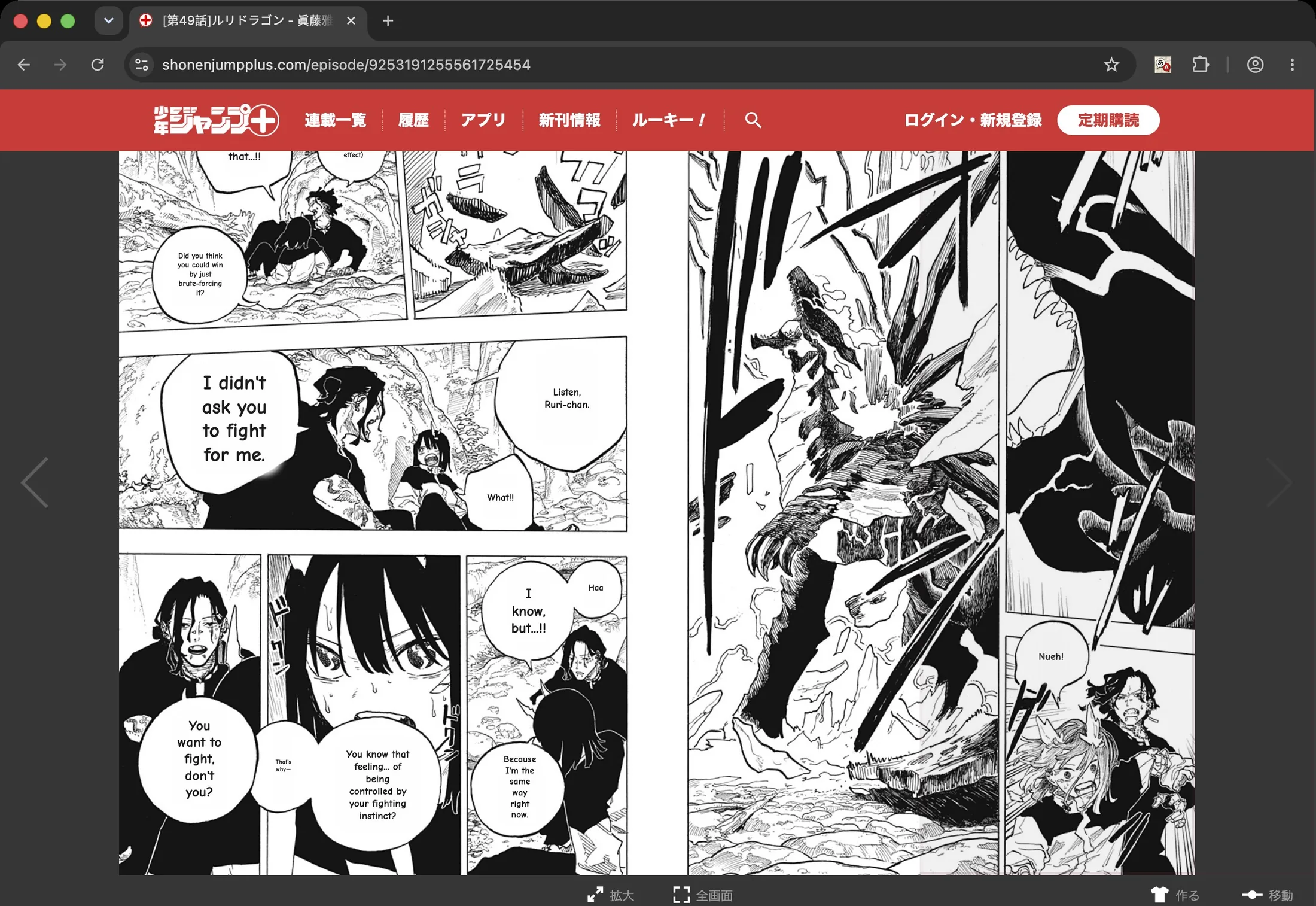
You found the raw. The next chapter your scanlation group hasn't gotten to yet, a series that was never licensed in English, or a volume you picked up on a trip to Japan. The art is right there — and you can't read a word of it.
There are three realistic ways to fix that in 2026, and none of them is "learn Japanese first." This guide walks through each one: what it's good at, where it falls down, and which to reach for depending on the page in front of you.
First, what's fair game
A translation tool is neutral; what you point it at isn't. The clean way to use any of the methods below is on manga you actually have a right to read:
- Raws you bought — digital volumes from BookWalker or Kindle, or a paper copy you scanned for yourself.
- Official free chapters — publishers put the first and latest chapters of many series online for free (MANGA Plus by Shueisha is the big one).
- Public-domain and creator-freed work — older titles, or series whose authors have explicitly released them.
Read your own library, support the official release when a series gets licensed, and treat machine translation as a way to enjoy and learn — not as a replacement for the real thing when it exists.
Way 1 — A browser extension (fastest; read where you already are)
If the raw lives on a web page, the lowest-friction option is a browser extension that translates the page in place. Install it once, open the chapter, click, and the Japanese is replaced with English right inside the panels — no downloading images, no switching tabs.
This is the method most people settle into day to day, because it meets you where you already read. The catch is that quality varies wildly: the cheap extensions drop a flat grey box over the bubble and call it done.
The bar to look for is seamless typesetting — the original Japanese lettering erased and the English set back inside the bubble shape, the way a human scanlator would do it. The before/after at the top of this post is one page run through Sumi's Chrome extension: same panels, English sitting exactly where the Japanese used to be.
How to use one:
- Install the extension and pin it.
- Open the manga page in your browser.
- Click the extension — or hover a panel — to translate what's on screen.
- Keep scrolling; new pages translate as you reach them.
Sumi for Chrome is free to start and runs on the reader sites and image hosts you already use.
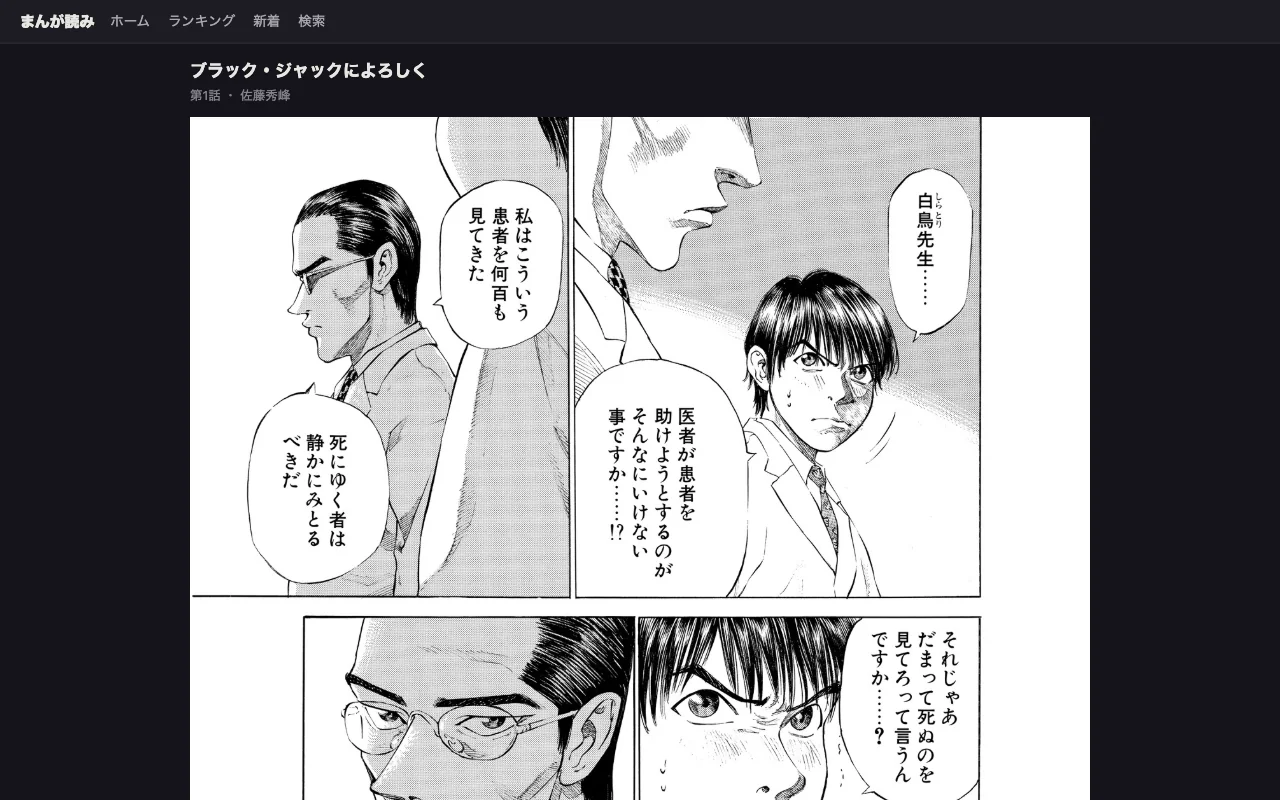
Step 1–2: open the raw chapter in your browser.
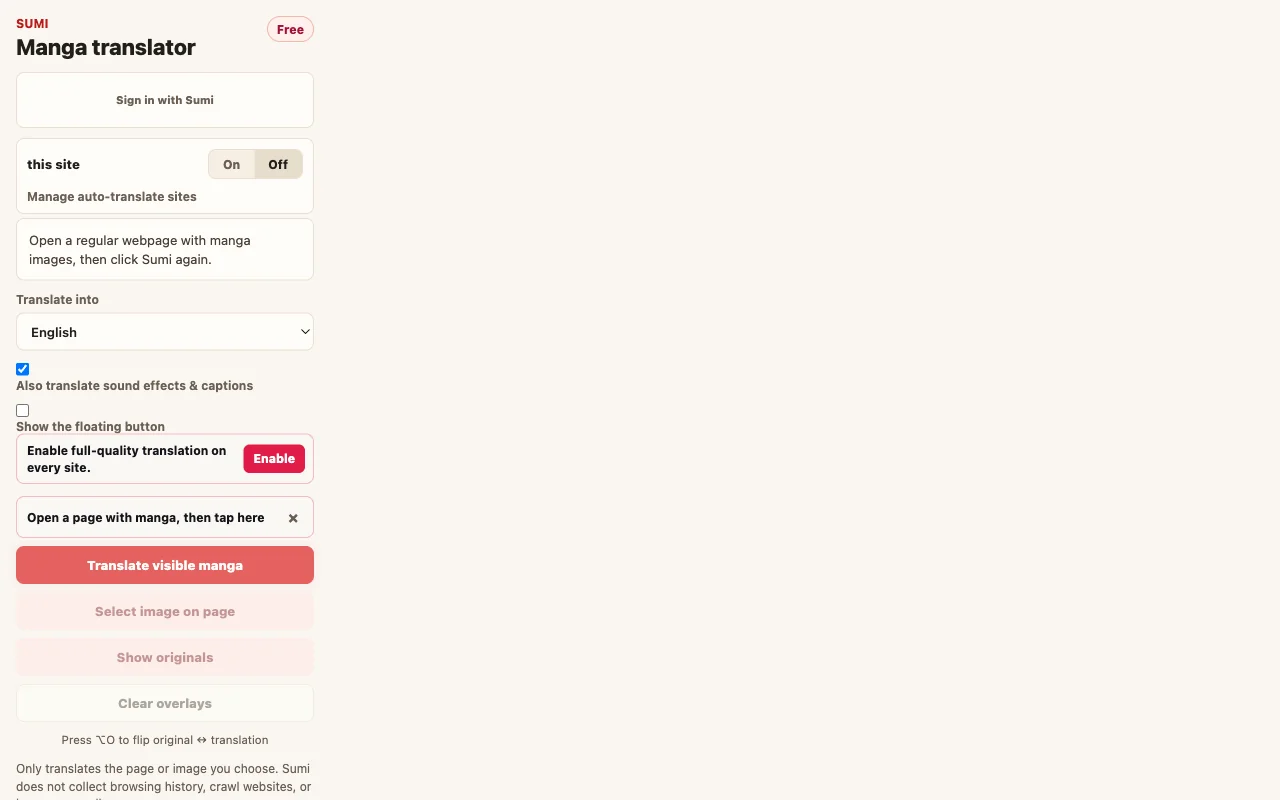
Step 3: click the extension — pick full page or a panel.
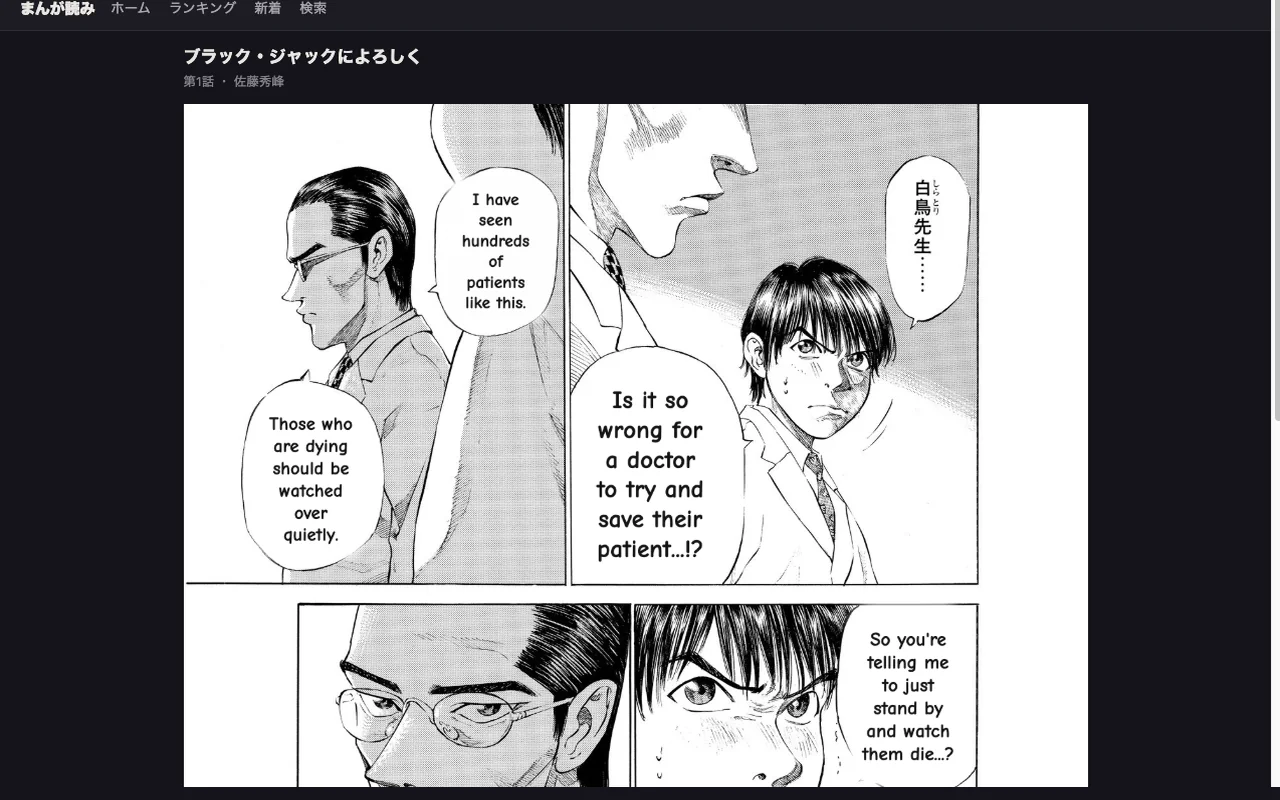
Result: English sits inside the bubbles, art left intact.
Way 2 — An online translator (best for files and one-off pages)
When the raw is a file — a page you saved, a screenshot, a CBZ off your own shelf — an online translator is the simplest path. Upload the image, pick your language, get the translated page back. Nothing to install, and it works on any device, phone included.
Reach for this when:
- the manga isn't on a web page (it's a download or a photo);
- you've got a handful of pages and don't want to install anything;
- you're on a borrowed or work computer.
Drag a page straight into Sumi's online manga translator and you'll see the result in a few seconds — the same seamless typesetting as the extension, just a different way in.
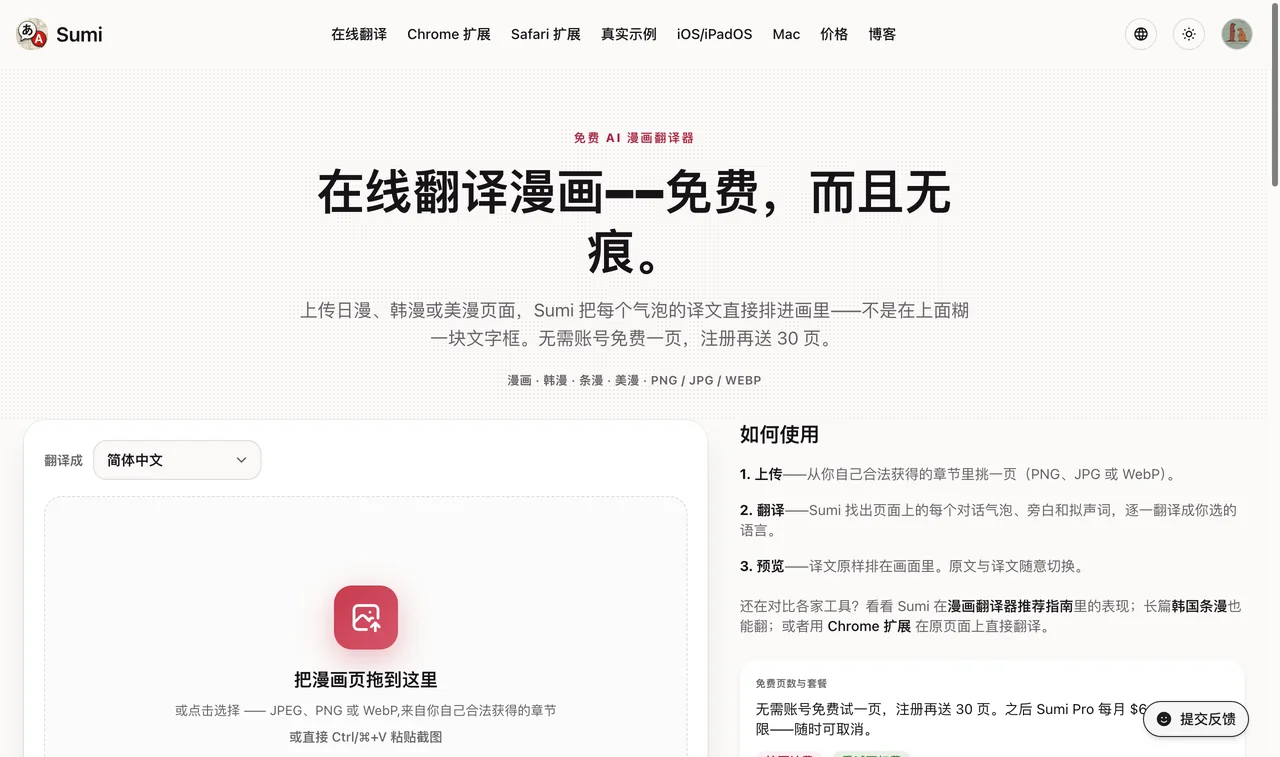
Upload a PNG/JPG/WebP — no install, works on any device.
Way 3 — A reader app (best for whole chapters, and for learning)
The first two methods shine for a page or a chapter you stumbled onto. But if you're following a series — reading volume after volume — a dedicated reader is a better home. Import a chapter once and every page is translated end to end, then it stays in your library: right-to-left paging, a one-tap fix when the AI gets a line wrong, and an offline mode so your manga never leaves the device.
A reader is also where reading quietly turns into learning. If part of why you're chasing raws is to pick up Japanese, Sumi on iPhone, iPad and Mac can show furigana over the kanji, let you tap any word for a dictionary entry, and drop the words you look up into a spaced-repetition deck — so the manga you're already enjoying does double duty. There's more on that in learning Japanese with manga.
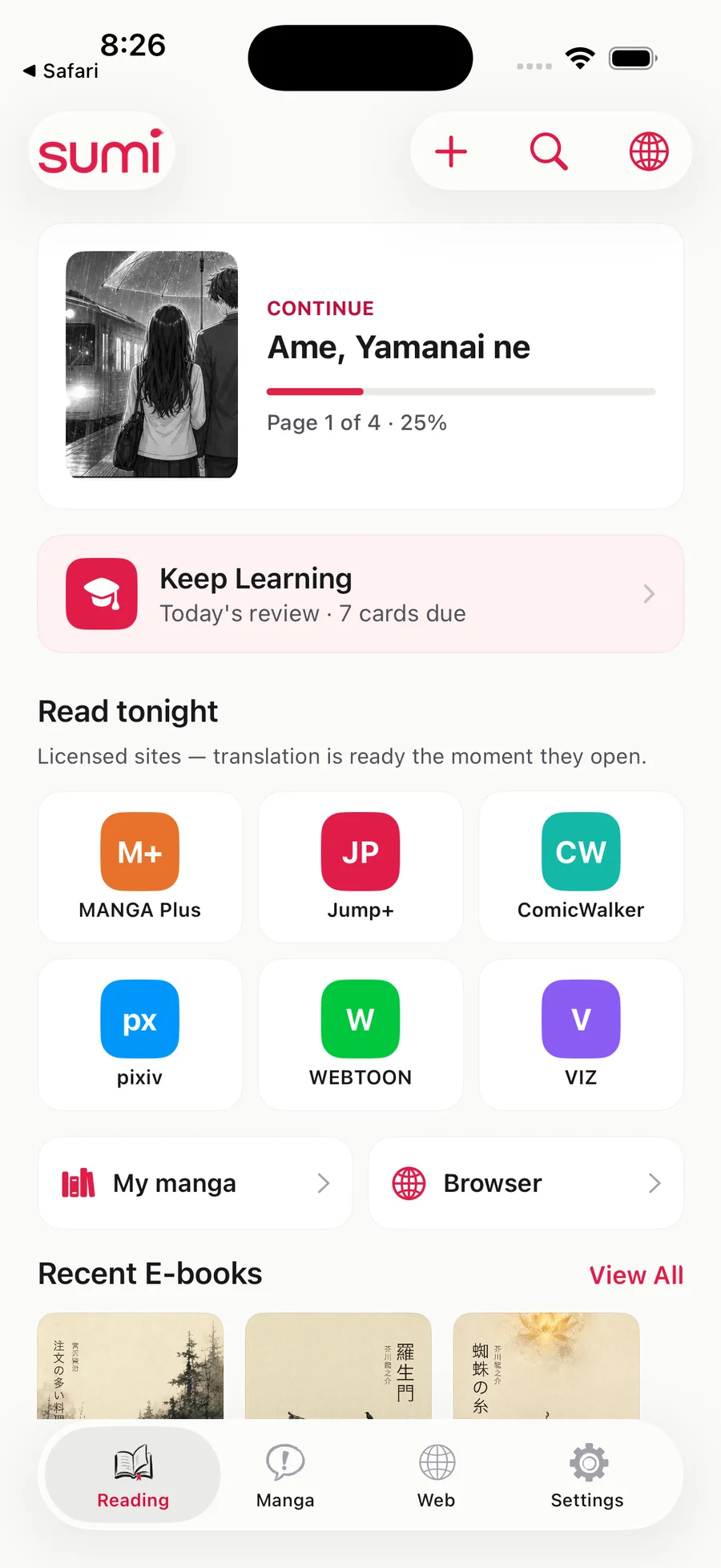
The reader home: continue a chapter, open a licensed site, or import files.

Whole-chapter reading — page 1 of 4, translation laid into the art.
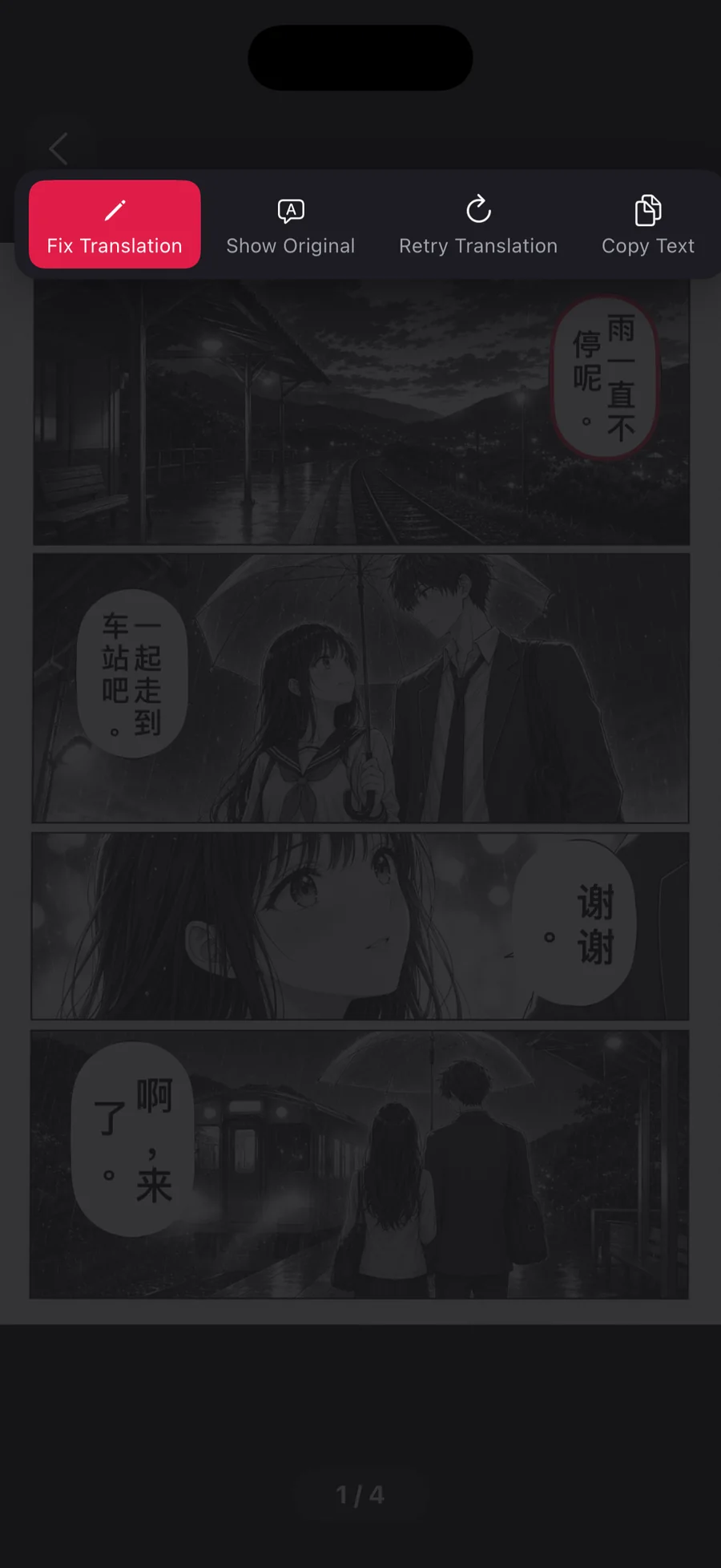
One-tap fix when a line is wrong — the loop that makes long chapters usable.
Which one should you use?
| You have… | Use | Why |
|---|---|---|
| A chapter open on a website | Browser extension | Translates in place, zero setup |
| Saved images, a CBZ, or a phone photo | Online translator | Upload-and-go, works on any device |
| A series you're reading start to finish | Reader app | Whole chapters, offline, fix-a-bubble |
| A goal of learning Japanese as you read | Reader app | Furigana, tap-dictionary, flashcards |
The extension and the online translator share the same translation engine under the hood, so the English you get is consistent — you're really just choosing how the page reaches you. All three run the same clean → redraw → translate → typeset steps a fan group does by hand, which is why people call this kind of tool a scanlation app even though it never hosts a chapter.
The thing that trips up new readers: manga is right-to-left
If you've only read western comics, the panel order feels backwards at first. Japanese manga is read right to left, top to bottom — the first panel is the top-right corner, and you move leftwards across the page. Bubbles within a panel follow the same order. A good reader app flips the paging direction for you; if you're translating a raw and the dialogue suddenly stops making sense, check you're reading the panels in the right order before you blame the translation.
FAQ
Is it legal to translate raw manga? Translating manga you have a right to read — your own purchases, official free chapters, public-domain titles — is fine for personal use. The tools don't host or distribute manga; they only convert text on a page you already have in front of you. Support the official release when one exists.
What's the best free way to read raw manga in English? For a page on a website, a browser extension is the fastest free option; for a saved image or file, an online translator. Sumi gives you 5 free pages when you create an account, 5 more to claim each day after that, and a page a day without one — so you can judge the translation on your own manga before paying anything.
Can I translate manga offline? Yes. A reader app with an on-device model can translate without sending your manga anywhere — the most private option, and it works on a plane. Browser extensions and online tools need a connection.
Does this work on webtoons and manhwa? It does, with one caveat: webtoons are long vertical strips, so you want a tool built for the format. See translating Korean manhwa and webtoons for the specifics.
How accurate is AI manga translation? Good enough to follow the story comfortably, and far better than it was even a year ago — modern vision-language models read context, not just isolated words. They still miss the occasional pun or name reading, which is exactly why a one-tap "fix this bubble" matters more than raw model benchmarks.
Found the raw and want it in English now? Drop the page into the online manga translator — one page is free without an account, signing up adds 5 more, and you can claim 5 more every day after that. If the chapter is on a website, the Chrome extension does it in place instead.