ส่วนขยาย Safari สำหรับ iPhone และ iPad

แปลมังงะโดยไม่ต้องออกจาก Safari

ส่วนขยาย Safari เป็นส่วนหนึ่งของแอป Sumi เปิดมันบนหน้ามังงะที่คุณกำลังอ่าน แล้ว Sumi จะแปลรูปภาพในที่นั้น

Download on the App Store
ぁAdemo.mangasumi.com
หน้ามังงะที่แปลในแอป Sumi บน iPhone

No website account

Safari gets your identity from the Sumi app. You do not need to sign up or log in at mangasumi.com.

Your Sumi app pages

Safari spends the same page balance you see and manage inside Sumi on your iPhone or iPad.

Separate from Chrome

Chrome and the online translator run on your mangasumi.com account. Nothing transfers to or from the Sumi app in either direction.

การตั้งค่าครั้งเดียว

เปิด Sumi ใน Safari

Apple ส่งส่วนขยาย Safari มาโดยปิดไว้ ทำตามห้าหน้าจอเหล่านี้ครั้งเดียวแล้วมันจะเปิดอยู่
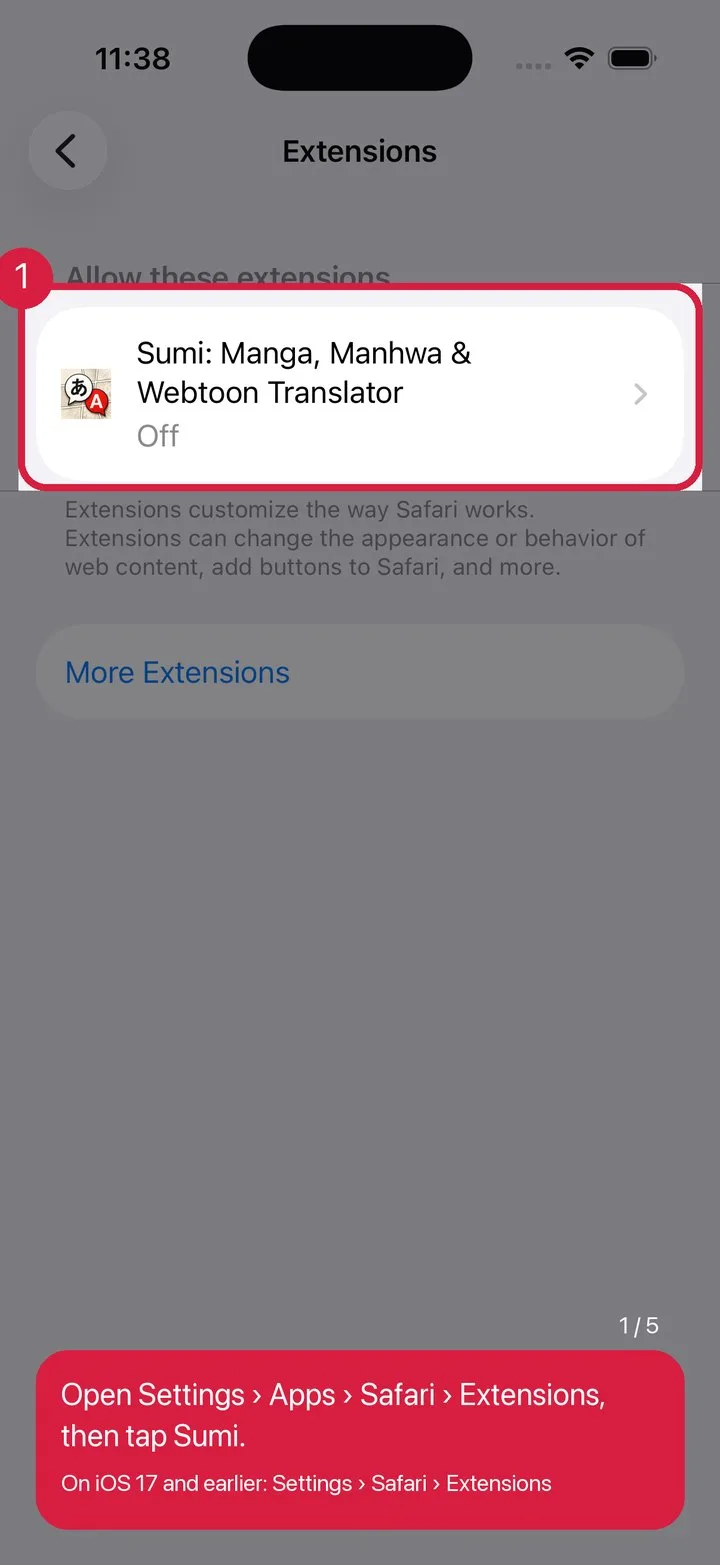
Find Sumi in Settings
1Find Sumi in Settings
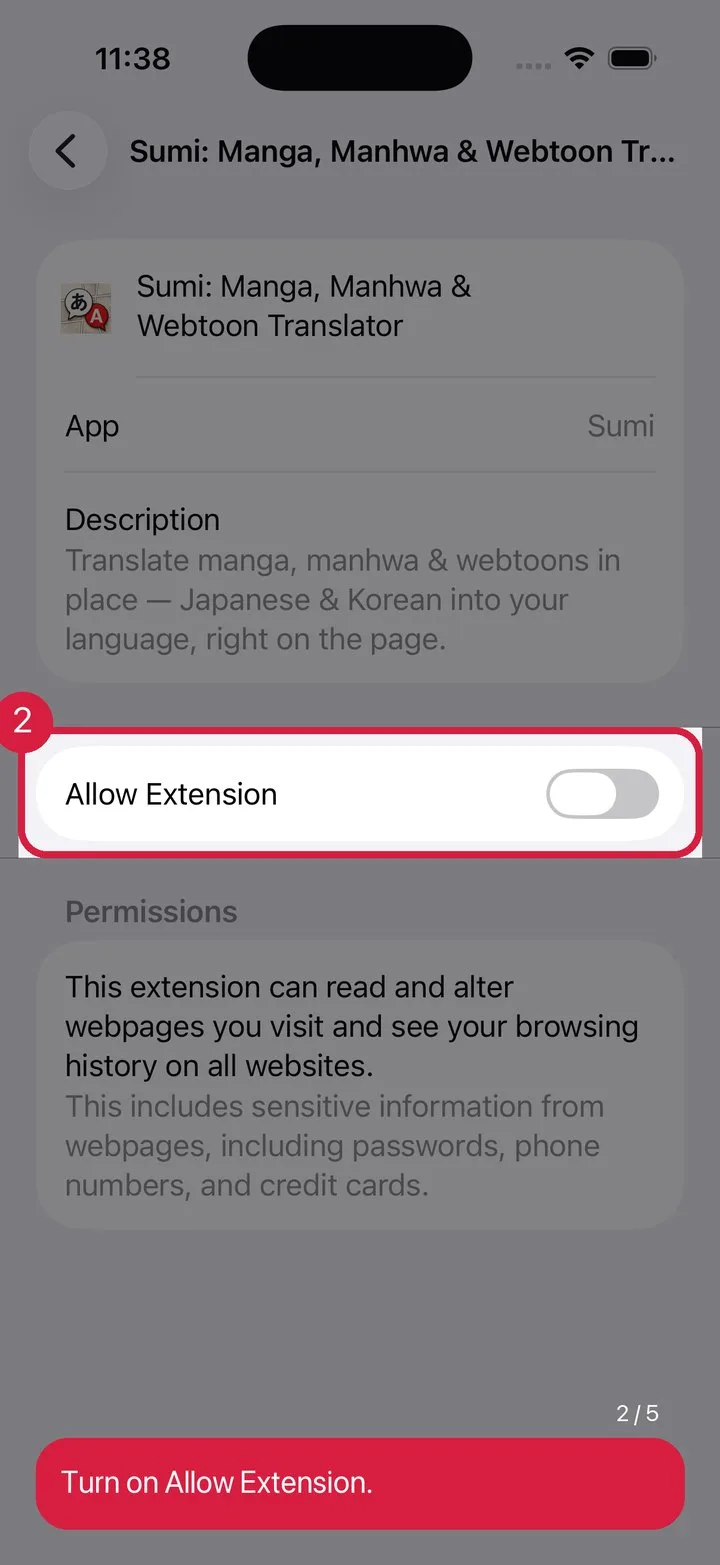
Turn on “Allow Extension”
2Turn on “Allow Extension”
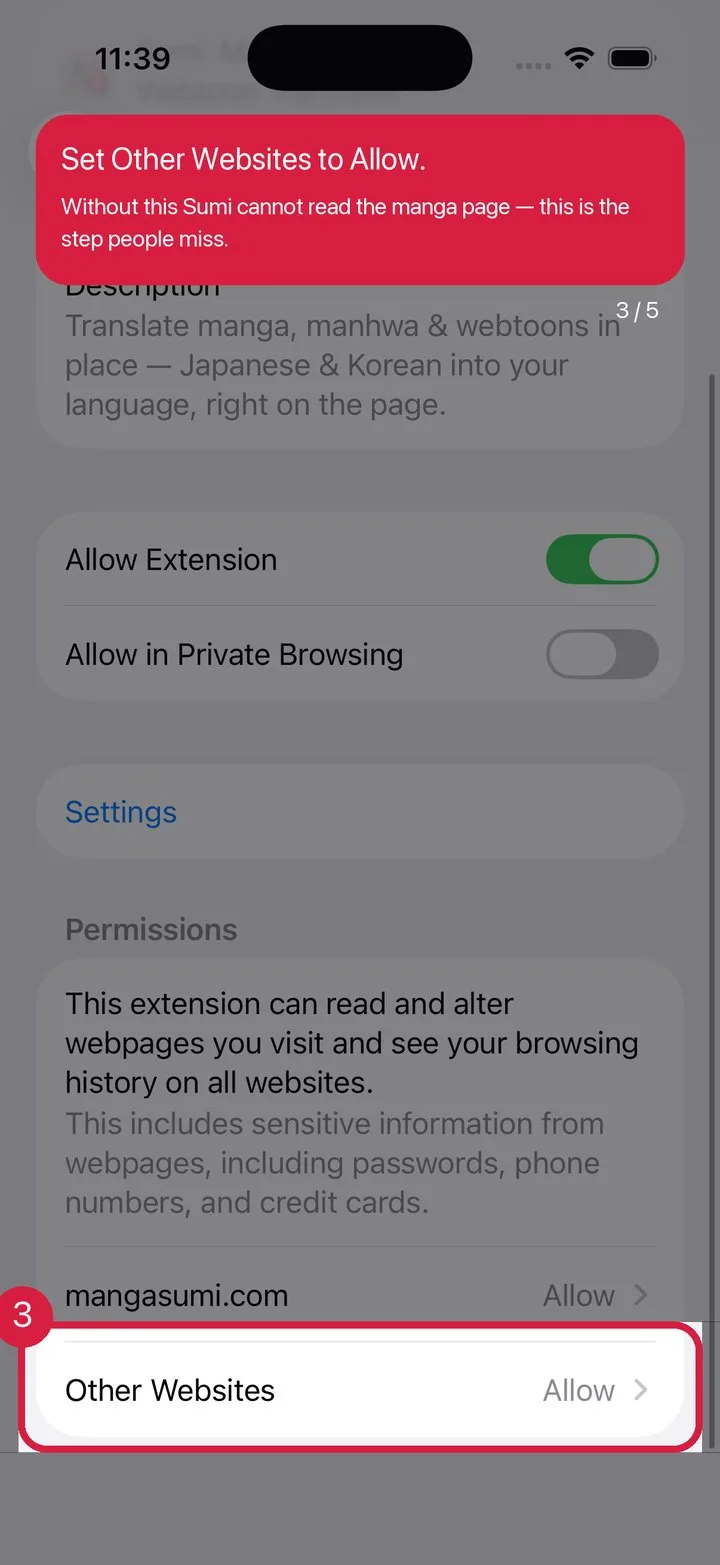
Set “Other Websites” to Allow
3Set “Other Websites” to Allow
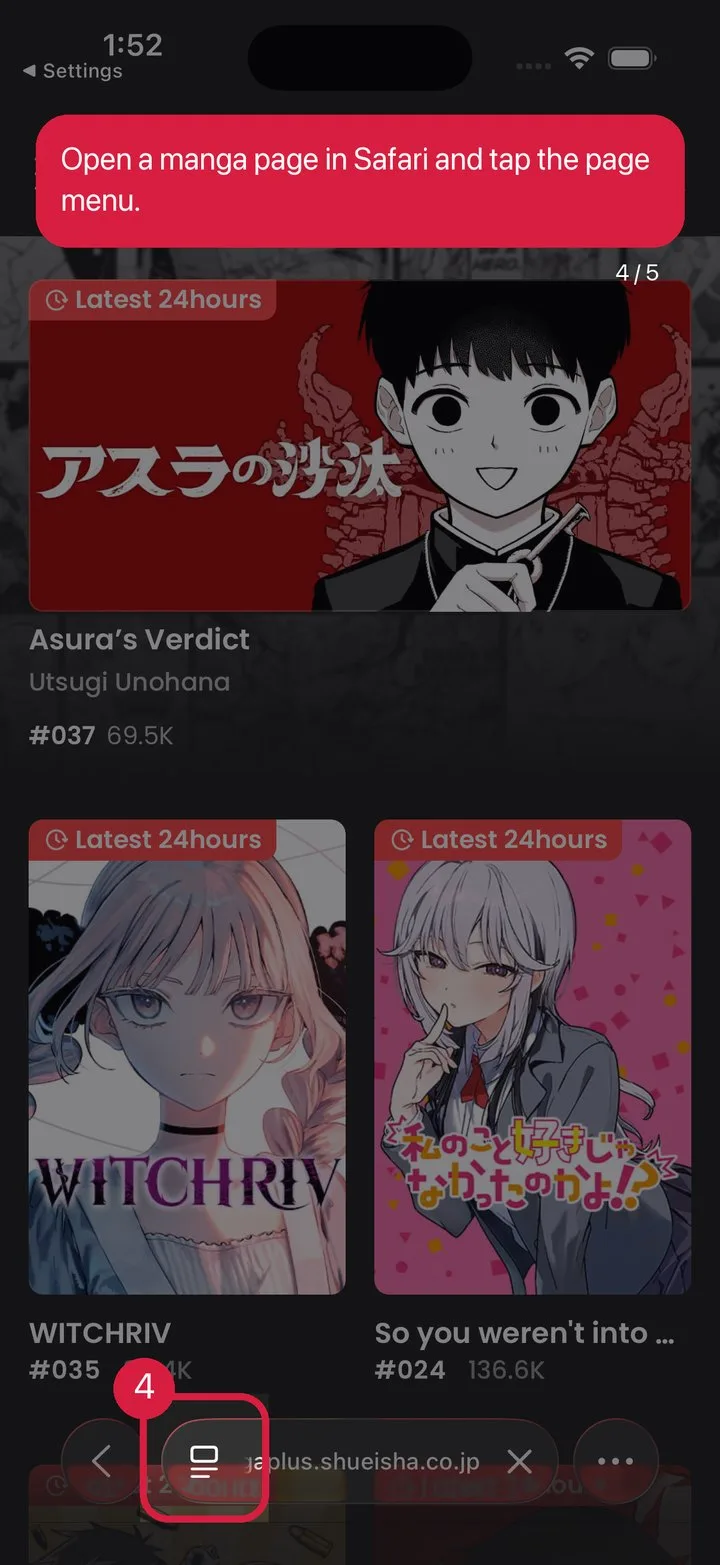
Open a manga page, tap the page menu
4Open a manga page, tap the page menu
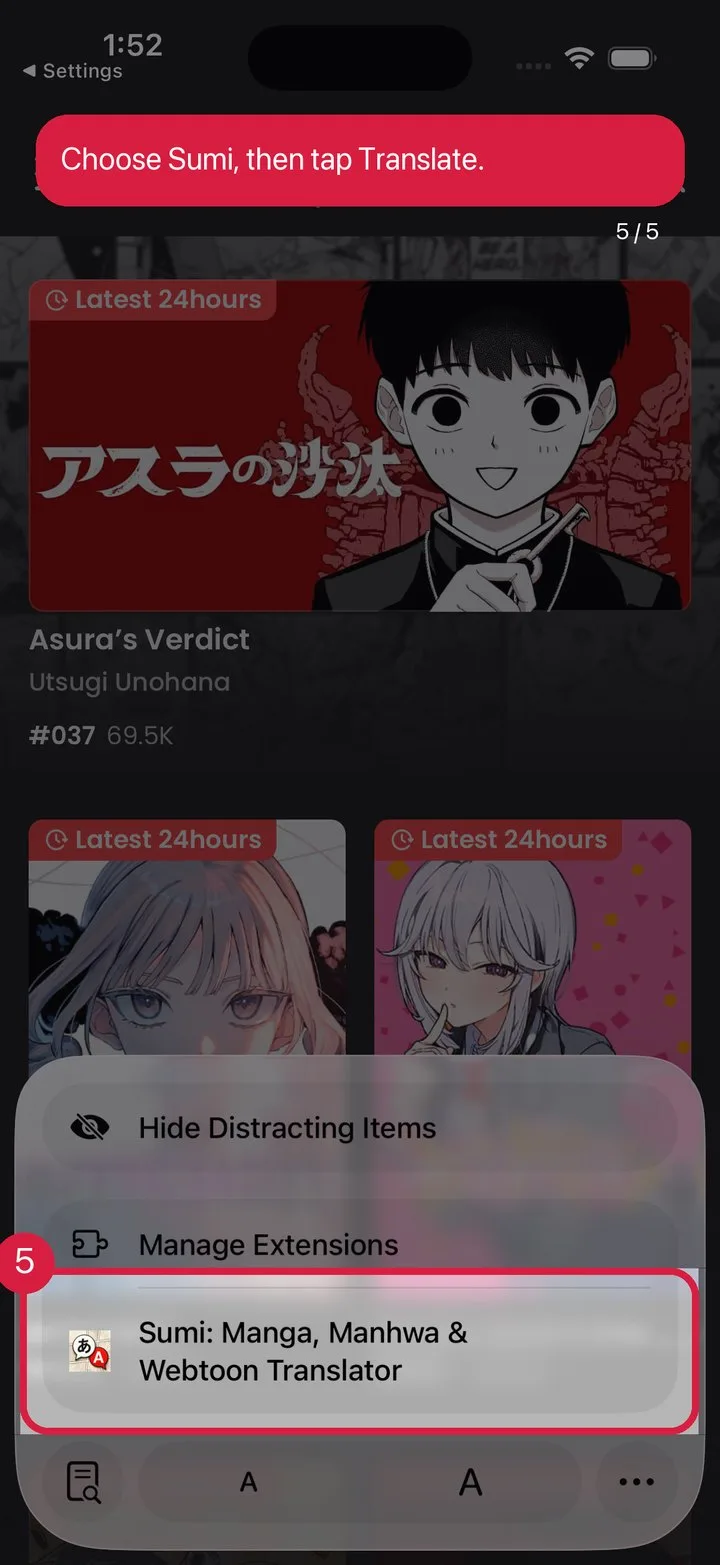
Pick Sumi, tap Translate
5Pick Sumi, tap Translate

ยังไม่มี Sumi?

Download on the App Store
ผลิตภัณฑ์เบราว์เซอร์สองแบบ

เลือกสมดุลที่เป็นของเบราว์เซอร์ของคุณ

ส่วนขยาย Safari และ Chrome ดูคล้ายกัน แต่บัญชีและสมดุลหน้าของพวกมันแตกต่างกันโดยเจตนา

Safari บน iPhone และ iPad

  • ตัวตนในแอป Sumi
  • สมดุลหน้าในแอป Sumi
  • เปิด Sumi เพื่อจัดการหน้า

Chrome บนเดสก์ท็อป

  • บัญชี mangasumi.com
  • ใช้ร่วมกับตัวแปลออนไลน์
  • เข้าสู่ระบบที่ mangasumi.com

มี Sumi แล้ว? ตั้งค่าให้เสร็จในแตะเดียว

เปิด Sumi แล้วทำตามคู่มือส่วนขยาย Safari ในแอป